


 Home >
 Knowledge Base >
 FAQs >
 Downloads >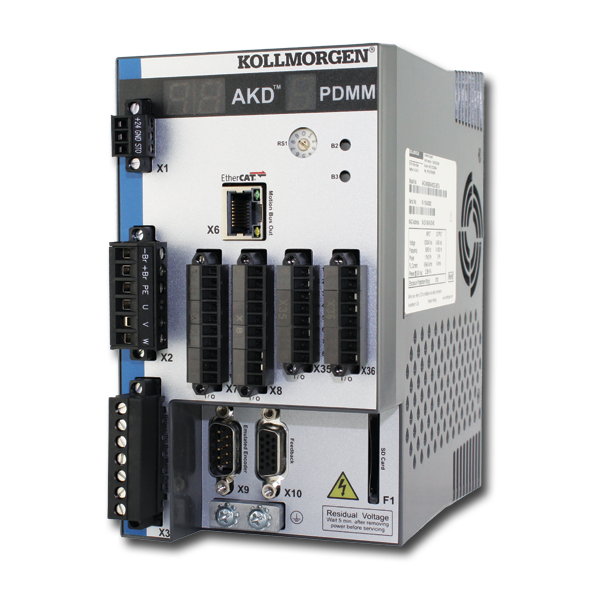
AKD PDMM
A component of the Kollmorgen Automation Suite, the AKD PDMM™ Drive Resident Controller combines an integrated AKD servo drive with an embedded motion controller that can control up to 64 axes, and the full automation capability of Kollmorgen Automation Suite™ in a single, compact package.
| Current Drive Firmware Version | 1.25.00.000 |
| Current Runtime Firmware Version | 4.05 R1 |
| Firmware Release Date | May 2026 |
| Firmware History & Downloads | KAS Associated Firmware by Release |
| Current Hardware Revision | EB |
| Part Number Scheme | Open the PDF |
| KAS-IDE Compatibility | v4.05 R1 and later |
| Current KAS-IDE Version | v4.05 R1 |
| Release Date | May 2026 |
| Model | Processor |
|---|---|
| AKD-M0xxxx-MCEC | 800 MHz single-core |
| AKD-M0xxxx-M1EC | 1.2 GHz single-core |
Interfaces
| Digital/analog I/Os | MultiFieldbus | Position output (encoder emulation) | Software interfaces | MultiFeedback |
|---|---|---|---|---|
|
|
See Protocols Supported by AKD Drives for more products |
|
| Grounding and Shielding Landing Page (Prevent Noise Issues) | English |  Ann Pater Ann Pater |
|
| AKD2G and KAS Functional Safety Landing Page | English |  C Wontrop
 |
|
| KAS v3.07 is now available!! | English |  dusty.…
 |
|
| SafePLC2 Project integrated in KAS IDE software | English | Joe Parks |
|
| What is a Subnet Mask? | English |  jcoleman02
 |
|
| Resolving Servo Feedback Choices | English | kenny.… |
|
| KAS Stepper Control with AKT2G slices | English | Joe Parks |
|
| Coupler Sizing - AKT2G Remote IO | English |
C Wontrop |
|
| Configuring BBH SCU with AKD2G SRA parameters | English |  jeeva
jeeva |
First, check the LED on the RJ45 connector. If the LED is not illuminated, then no communication with the drive is possible. Possible causes for loss of communication with the drive include:
- The network cable is disconnected.
- A wiring problem exists between the drive and the network switch/hub.
- The switch/hub is not powered.
If the LED is lit and the IP address on the drive is 0.0.0.0, then the most likely problem is that the drive hardware has not detected a valid link.
This problem is related to the MSI installer. You can resolve it as follows:
- Cancel the installation.
- Make sure that you have enough disk space on your hard disk (~500MB) to allow Windows .NET update if necessary. If you do not have enough disk space, then make additional space for the installation.
- Relaunch the installer (you may need to try this several times, the problem is random).