


 Home >
 Knowledge Base >
 FAQs >
 Downloads >
KAS-IDE
The KAS-IDE (Kollmorgen Automation Suite Integrated Development Environment) provides machine builders with all the necessary tools for designing, programming, configuring, debugging and maintaining machine applications.
It is a graphical programming solution for programming motion using the PLCopen or Pipe Network motion engines.
- KAS-IDE supports IEC 61131-3.
- KAS-IDE includes an embedded AKD Workbench.
| Latest Version | 5.00 | |
| Release Date | July 2026 | |
| Current Drive Firmware Version | AKD: 1-25-00-000 AKD2G: 02-16-00-003 KED: 02-16-00-003 | |
| Current Controller Firmware Version - (PCMM2G) | 5.00.0.98579 | |
KAS-IDE Software Downloads Note: This page requires registration and login. | KAS-IDE Distribution | |
| KAS Release Notes | ||
| KAS Online Help | ||
KAS-IDE Features
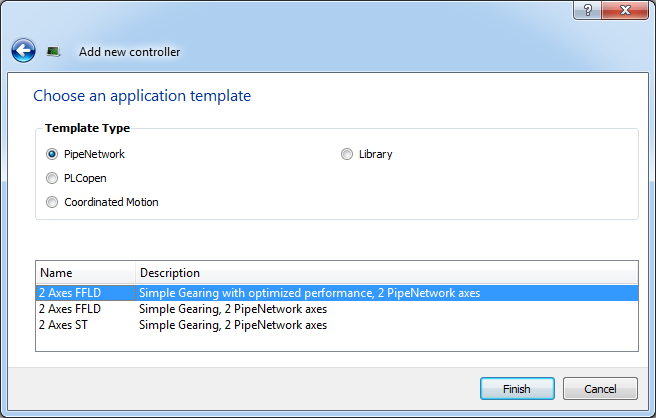
- Create new application projects using predefined or custom application templates.
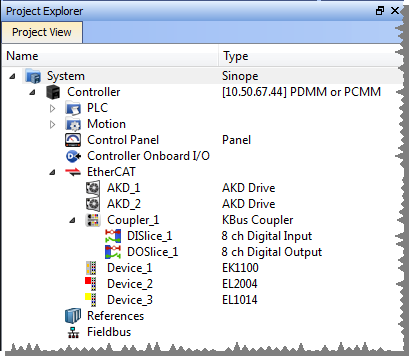
- Define the machine hardware architecture (motion bus, fieldbus, controllers, drives, and motors) as well as the machine program (HMI panels, IEC 61131-3 programs and function blocks, motion blocks, profiles, and axes) from a centralized Project Explorer which is based on a tree-structure.
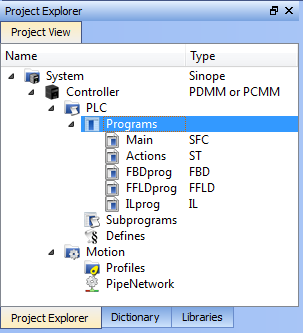
- Develop PLC programs, functions and function blocks using:
- These IEC 61131-3 programming languages (ST, IL, FFLD, FBD and SFC).
- The IEC 61131-3standard library and KAS Function Block libraries dedicated to motion, communication and monitoring
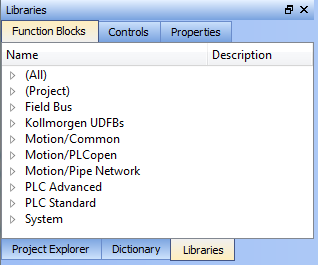
- These IEC 61131-3 programming languages (ST, IL, FFLD, FBD and SFC).
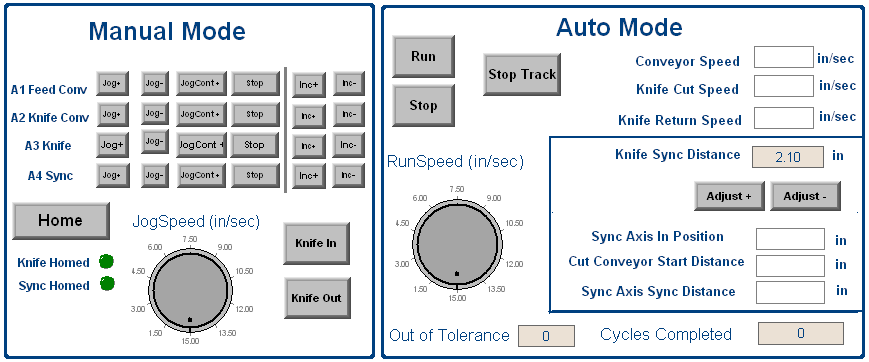
- Easily set up HMI panels by means of graphical objects that are part of the HMI control library; and map graphical objects to IEC 61131-3 variables
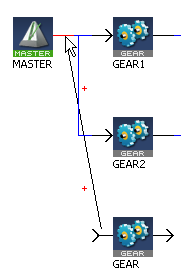
- Graphically design advanced multi-axis relations using Kollmorgen's graphical motion programming environment - also called the Pipe Network - with its tool generating code automatically
- Configure hardware devices via an integrated set of configuration tools (for instance AKD drives, EtherCAT I/O terminals, Profibus, etc.)

- Access controller devices to download, start and stop the application, watch log messages and send shell commands to the target device
- Debug the application by inserting break points and stepping into the code or by monitoring internal values (IEC 61131-3 variables, motion positions, drive's internal values) directly in the editors or with KAS advanced softscope tool
- Access the full online documentation.
| Subprogram (UDFB) Creation in KAS IDE | English |  Joe Parks Joe Parks |
|
| KAS v3.0 Software is Now Available! | English |  dusty.…
 |
|
| Shared Drive in PDMM or PCMM Application Fails to Mount | English |  C Wontrop
 |
|
| Setting Up the Siemens S7-1200 PLC and PDMM for Profinet Fieldbus Communication (PDMM as the Slave) | English |  jcoleman02
 |
|
| Connecting to the PDMM for the First Time (PDMM IP Address Settings) | English |
jcoleman02 |
|
| KAS Issue When Creating A New Project | English |
C Wontrop |
|
| Deliver Virtual Master Position to two or more PCMM using Pipe Network | English |  Stefano…
 |
|
| Changing Drive Opmode in a PxMM Program | English |
C Wontrop |
|
| Links to KAS Videos, Application Notes, and Sample Projects | English | Joe Parks |