


 Home >
 Knowledge Base >
 FAQs >
 Downloads >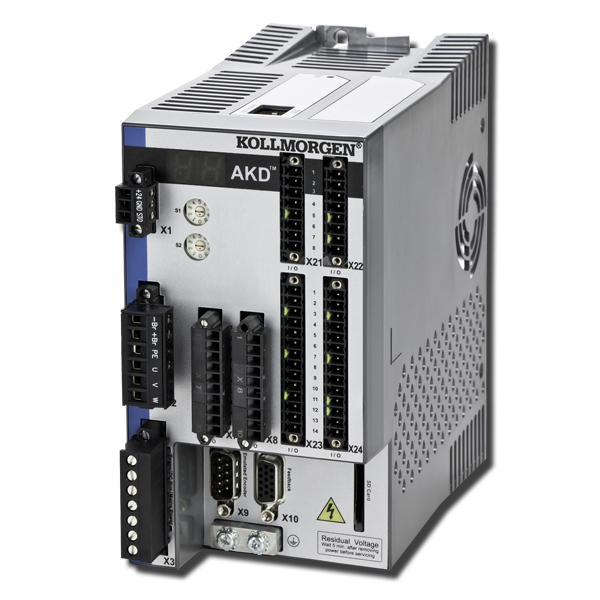
AKD BASIC
AKD BASIC drives provide all the performance features of our leading AKD Series, along with built-in machine and motion control that can be programmed in BASIC programming language from AKD WorkBench. These drives can eliminate the need for a separate PLC or allow machine designers to customize drive functionality.
| Current Firmware Version | 1.20.00.001 |
| Firmware Release Date | December 2020 |
| Current Hardware Revision | EA |
| Current Hardware Release Date | 01/01/2014 |
| Part Number Scheme | Open the PDF |
| See the WorkBench article for details about the software used to configure and manage the drives. | |
AKD BASIC (AKD-T...) is programmable via BASIC language.
Variants & Related Products
- 120/240 VAC
- 240/480 VAC
- (AKD-Tzzzyy-IC..) offers a built-in I/O option board with additional digital and analog I/Os.
- AKD PDMM (AKD-Mzzzyy-MC..) offers integrated motion controller and programmable machine control.
- AKD C/N (AKD-C|Nzzzyy-xx) is a decentralized drive system.
Interfaces
| Digital/analog I/Os | Digital/analog I/Os with I/O option board | Position output (encoder emulation) | Software interfaces | MultiFeedback |
|---|---|---|---|---|
|
|
|
|
|
Hardware Expansions
- (AKD-Tzzzyy-IC..) offers a built-in I/O option board with additional digital and analog I/Os.
 …
… didier.…
First, check the LED on the RJ45 connector. If the LED is not illuminated, then no communication with the drive is possible. Possible causes for loss of communication with the drive include:
- The network cable is disconnected.
- A wiring problem exists between the drive and the network switch/hub.
- The switch/hub is not powered.
If the LED is lit and the IP address on the drive is 0.0.0.0, then the most likely problem is that the drive hardware has not detected a valid link.
This problem is related to the MSI installer. You can resolve it as follows:
- Cancel the installation.
- Make sure that you have enough disk space on your hard disk (~500MB) to allow Windows .NET update if necessary. If you do not have enough disk space, then make additional space for the installation.
- Relaunch the installer (you may need to try this several times, the problem is random).