


 Home >
 Knowledge Base >
 FAQs >
 Downloads >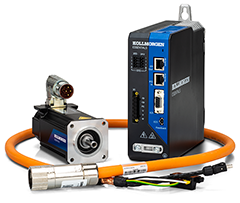
Kollmorgen Essentials System
Kollmorgen Essentials is a motion control system designed for ease-of-use. Each system includes a servo motor, a servo drive which works with the industry’s most widely used Industrial-Ethernet (EtherCAT, EtherNet/IP or PROFINET) controllers, and a single cable for power, brake, and data. There are also accessories including regen resistors, line filters and spare drive-side connectors.
The basics of setting up a Kollmorgen Essentials System are:
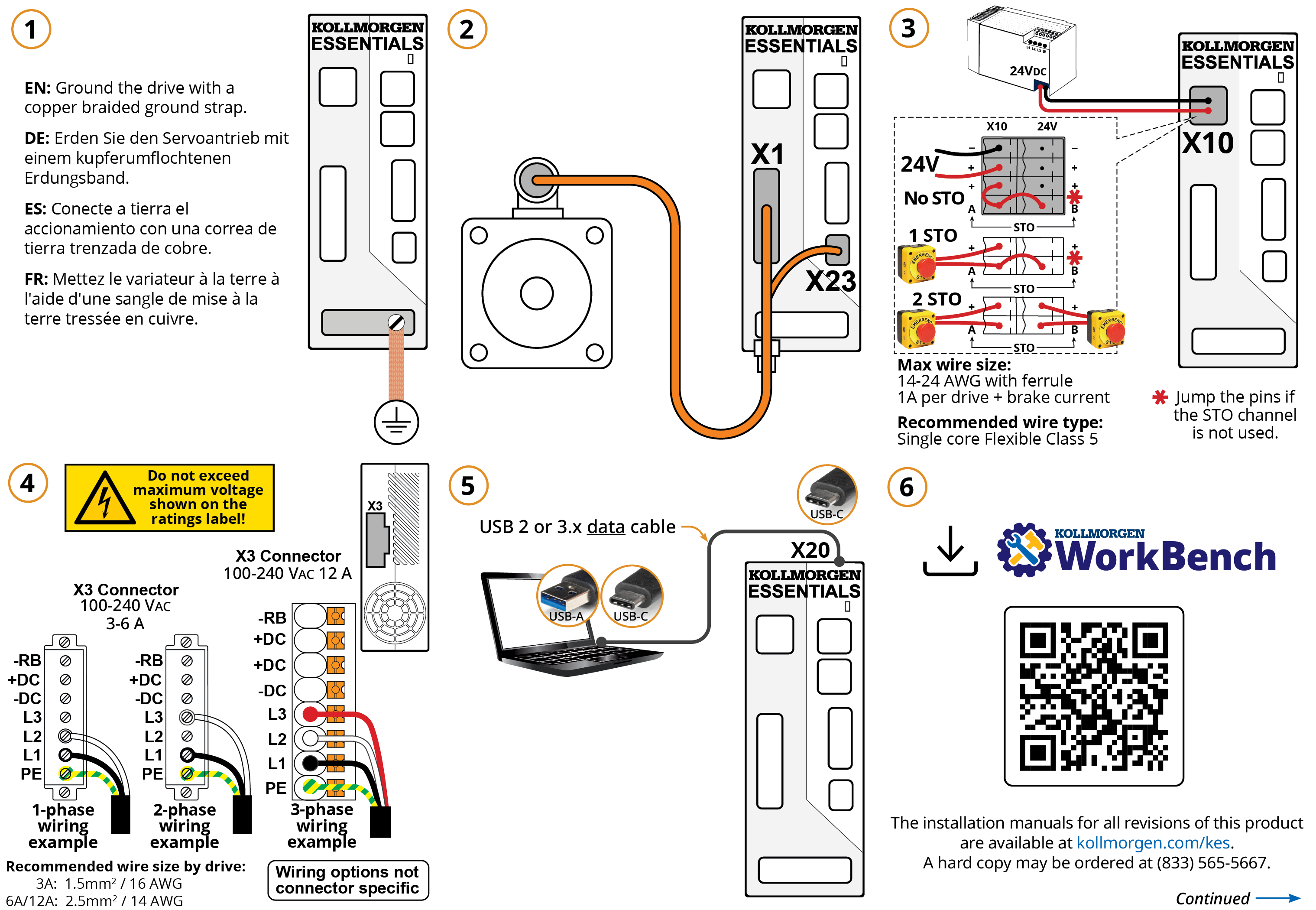
- Connect the Kollmorgen Essentials Drive to a laptop via a USB-C cable.
- Connect the drive to a Kollmorgen Essentials Motor via a Kollmorgen Essentials cable.
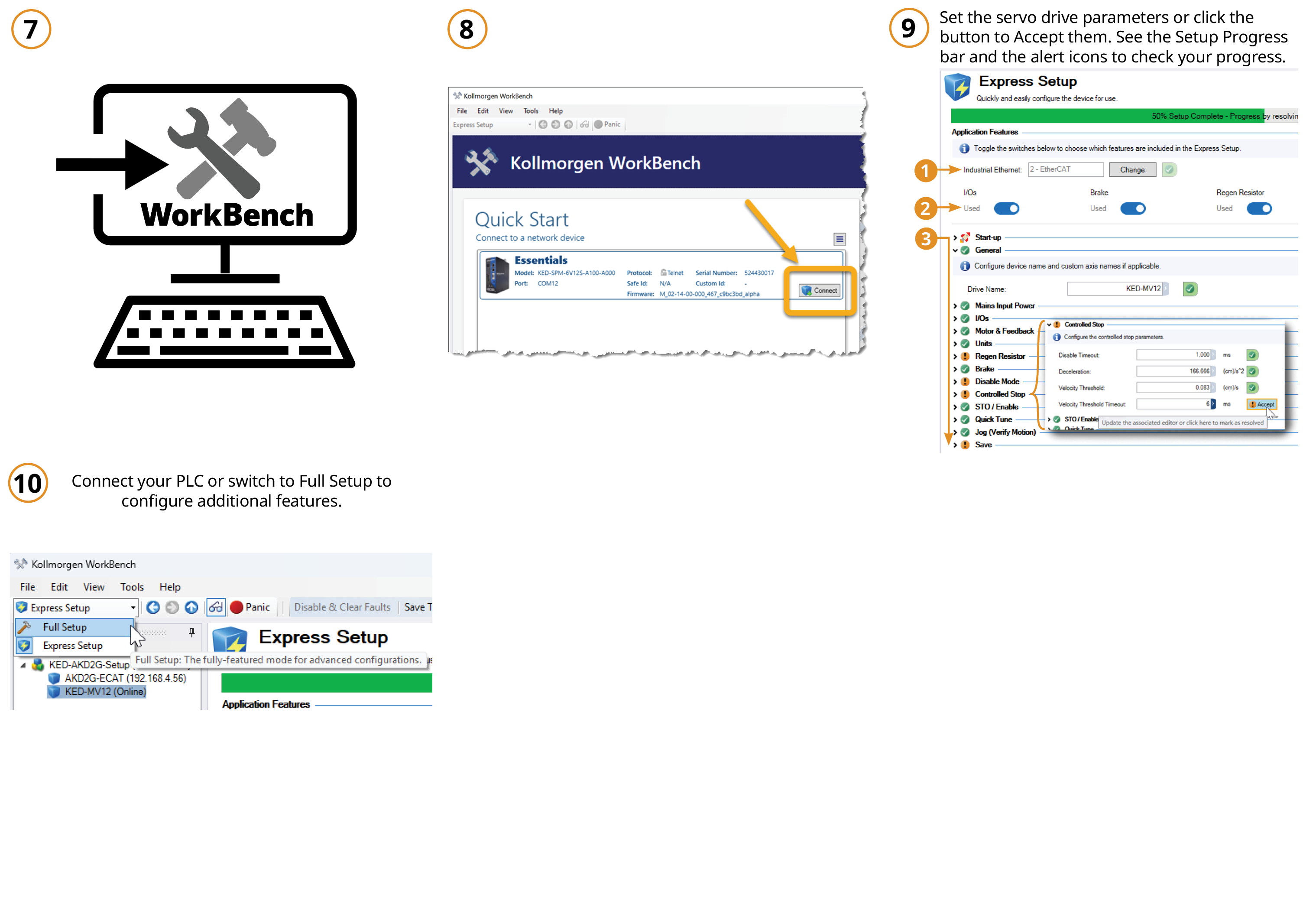
- Use WorkBench to commission the drive and motor using either of the Industrial Ethernet protocols (EtherCAT, PROFINET, or EtherNet/IP).
Setup
Following are links to content to get you going.
- Kollmorgen Essentials Documentation Portal - Online help for installing, setting up, and using Kollmorgen Essentials Drives and Motors, and WorkBench.
- Quick Start - An overview of getting a Kollmorgen Essentials System up and running. The Quick Start is also available in: HTML and PDF (see Manuals below).
- Kollmorgen Essentials Drive Installation Manual - Available in HTML and PDF (see Manuals below).
- Kollmorgen Essentials Motor Installation Manual (incl. shaft key and shaft seal kit instructions) - Available in HTML and PDF (see Manuals below).
- WorkBench - Download the GUI to commission your drive and motor. See Software below.
- Firmware - This ZIP archive contains the latest firmware files as well as the EDS, XML, and GSDML files required for integration with EtherNet/IP, EtherCAT, or PROFINET controllers. These files may be found in the "Fieldbus" folder.
- Videos - Check out the series of videos covering Kollmorgen Essentials basic information, commissioning the drive, and using the Standard and CIP Sync EtherNet/IP sample projects.
| NOTE | This page contains the latest versions of Kollmorgen Essentials software, firmware, and documentation. Older versions may be found on the Downloads page. |
Design
If you're still in the design phase, or need more components, you can find links to 3D models, part numbers, certifications, and the selection guide here.
- Certifications
- Kollmorgen Essentials Drive Part Number Scheme
- Kollmorgen Essentials Motor Part Number Scheme
- Kollmorgen Essentials Cable Part Number Scheme
- Kollmorgen Essentials Selection Guide
- Feedback Cable Connector Field Termination Instructions
- Kollmorgen Essentials Drive 3D Models
- Kollmorgen Essentials Motor 3D Models
- Kollmorgen Essentials Datasheets
Controller Support
The EDS, XML, and GSDML files necessary for integration with an EtherNet/IP, EtherCAT, or PROFINET controller are available in the "KED Servo Drive Firmware" file.
Documentation for each protocol and setup instructions for various controllers are provided in the Documentation Portal.
Troubleshoot
Following are links in the Kollmorgen Essentials Documentation Portal for troubleshooting issues you may experience when commissioning or using Kollmorgen Essentials devices. Also see Tips and Tricks below for some basic information you may have missed.
Learn
See Kollmorgen Essentials Motion System for general product information, brochures, upcoming webinars & training, and to find out where you can buy the devices.
Quick Start Information
A graphical overview of quickly getting up and running with the Kollmorgen Essentials System. This is also available as a PDF (see "Manuals" below).
Tips & Tricks
Switch Between Setup Types in WorkBench
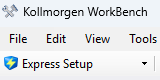
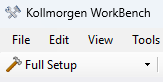
WorkBench now starts in a new Express Setup mode which allows for quick and easy commissioning. Directly below the menu bar is the setup mode dropdown, allowing you to switch to the Full Setup with a full suite of configuration and diagnostic tools.
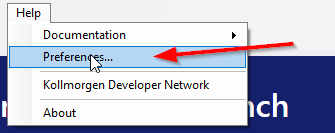
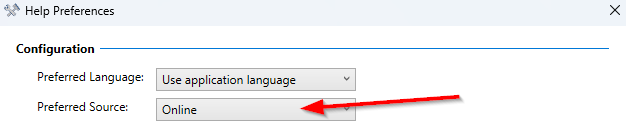
Configuring WorkBench to use Online Help
Documentation
Contact Customer Support for printed copies of Installation Manuals. Other documents are only available digitally.