Home >
 Knowledge Base >
 FAQs >
 Downloads >
Modify old Profinet configuration done with KAS 2.7
Problem
When you open a project created with KAS 2.7 in a newer KAS release, you could have an error message when you try to open the PDMM Profinet device configuration in the fieldbus editor:
"K5BusPNIODev - Invalid or corrupted configuration file"
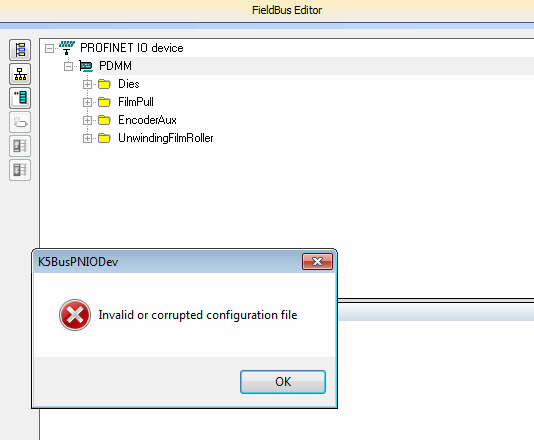
That happens because the Profinet GSDML filename changed in KAS 2.8 (the filename was incorrect in 2.7).
Solution
Right-click on the PDMM device node, and from the contextual menu select "Use special station description".
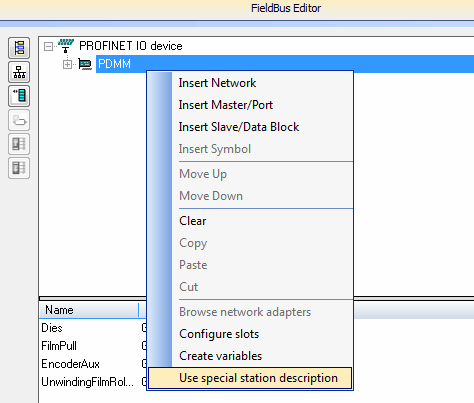
Then click "Yes" and select the GSDML file "GSDML-V2.1-KOLLMORGEN-KAS-DEVICE-20140122.xml".
Check that your Profinet configuration is still correct. If not, close the project without saving your modifications. Please contact Kollmorgen for more help.