


 Home >
 Knowledge Base >
 FAQs >
 Downloads >
KAS Project File Clean-up
If the KAS project file size is unexpectedly too large, it is likely that there are some legacy or possibly corrupt HMI project files included in the project.
To clean-up unnecessary and/or corrupt files, do the following:
- Close the IDE.
- Copy the .kas project file to a backup file. Just in case you accidently delete a needed file.
- Open the .kas project file with 7-Zip. For example, right click on the project file, select 7-Zip->Open Archive
- At the top level, if there are 2 folders named Controller, one of them will have a space at the end. Delete this one.
- Navigate to the HMI\KVB 2 directory. Check the sub-directories and underlying files. Delete any sub-directory that is not part of your KAS project.
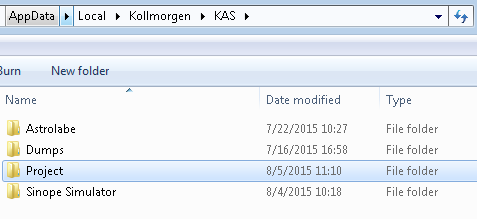
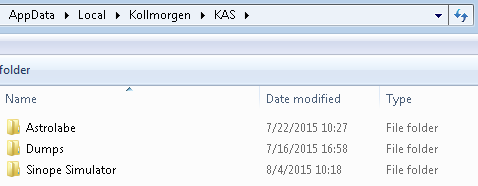
- Remove the Kollmorgen Project folder for your user account: %LOCALAPPDATA%\Kollmorgen\KAS\Project
- This step is necessary to prevent new projects from inheriting all files and folders in the Project folder.
- The following procedure will remove the entire Project folder. Note that the "Controller " folder (with a space at the end) cannot be removed by Windows Explorer.
- Open a Command Prompt window.
- Enter the following command.
- rmdir %LOCALAPPDATA%\Kollmorgen\KAS\Project /s /q
- Open the .kas project file with the IDE.
- Re-compile to confirm there are no missing files and save the project file.
For example, the following 12MByte project only has one HMI device:
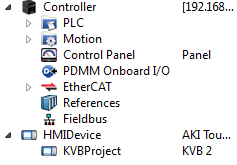
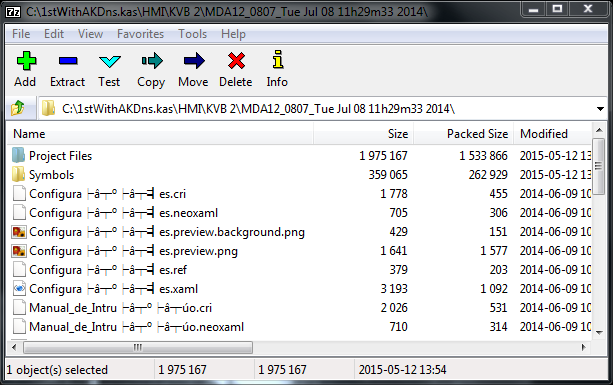
And the .kas project file has 5x HMI projects:

Notice the file names have strange characters. The IDE was unable to automatically clean-up these files:
Deleting the legacy and/or corrupt HMI files, leaves behind the single HMI project directory used by the KAS project:
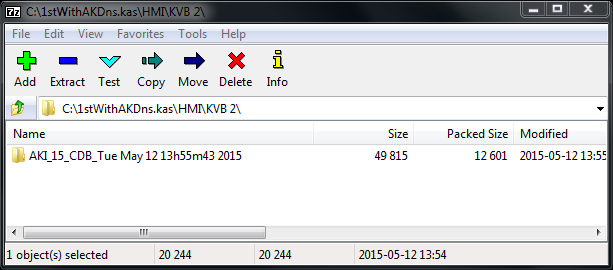
The resulting cleaned-up KAS project file was reduced from 12 Mbytes to 260 kbyte.
And likewise, deleting the %LOCALAPPDATA%\Kollmorgen\KAS\Project will prevent the files from being included in future projects:
BEFORE:
ENTER COMMAND:

AFTER:
Comments
One way to reduce size of integrated KVB2 project is to compress it (using KVB software).
The process is as follows-
1. Open the KVB project from KAS project's left hand side menu (Project Explorer).
2. Go to Menu Project-Compress Project. Select path where the compressed project is saved.
3. After compressing the project, it creates a ZIP file on your PC.
4. Close KVB software. Go back to KAS project & delete the KVB project from Project Explorer.
5. Right click on Controller in KAS Project Explorer & import the compressed KVB project.
With this procedure & the procedure mentioned in above KDN article, I was able to reduce size of a KAS project from 25.8Mb to 1.77 Mb.
Don't forget to save a copy of the original project (before you try this) in worst case this backfires !! :)