Home >
 Knowledge Base >
 FAQs >
 Downloads >
Fault Messages I-O Option
Valid for AKD
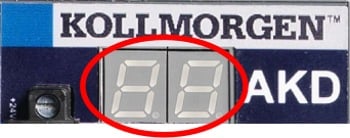
Operation of the SD card device built into the I/O option board may occur in some Errors. These errors are displayed in the two digit AKD LED display. The coding is E followed by four digits. The errors are shown twice in the display, They are not permanently displayed.
| Fault | Message/Warning | Cause | Remedy |
|---|---|---|---|
|
E0082 |
SD Card is not inserted. |
No SD card inserted or SD card inserted with wrong orientation. |
Insert SD card with correct orientation. |
|
E0083 |
SD Card is write protected. |
SD card protection clip in wrong position. |
Remove write protection from SD card. |
|
E0084 |
SD Card hardware not installed. |
No I/O option board installed or SD card device faulty. |
- |
|
E0095 |
File not found on SD Card. |
SD card damaged or filename has been changed manually or deleted. |
- |
|
E0096 |
File error trying to access the SD Card. |
File on SD card can't be read. |
- |
|
E0097 |
File system error accessing the SD card. |
File system on SD card can't be read. |
Use supported SD cards only (=> p. 1) |
|
E0098 |
A parameter could not be set in the drive. |
- |
- |
|
E0099 |
There was an error writing to a file on the SD Card. |
- |
- |
|
E0100 |
SD Card read/write in progress. |
- |
Wait until read/write process is done. |
|
E0101 |
There was an error accessing the BASIC binary file. |
Basic program file couldn't be read. |
- |