Home >
 Knowledge Base >
 FAQs >
 Downloads >
Save program variables to SD card memory
KAS supports storage of values from a running program into the SD card. Attached is an example project which stores 4 variable values: VAR1, VAR23, VAR3, and VAR4 to the SD card each time input is triggered. Code creation is as follows:
1. Create .txt file to define a list of variables values to be stored on the SD card. Store this .txt file in the root directory of the development PC running the KAS IDE.
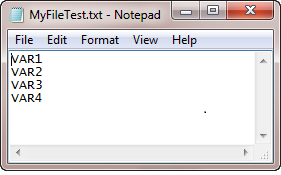
2. In the kas project write code to read this file:

3. Write code to store a set of variable values in the SD card each time a input (Execute) has a rising edge.
a. Get the SD card ready for communications: SD_MOUNT
b. Opening the channel of communication and the SD card file to store the variable values : F_WOPEN
c. to save each variable set in the SD card: LogFileCSV function block (Instance in this project is MyLog)
d. Close the channel of communication: F_CLOSE
e. Make SD card ready for remove: SD_UNMOUNT
Here is the sample code:

The following code was used to create new values of the 4 VARS every time there ia a rising on Execute.
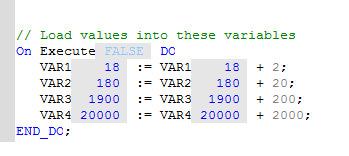
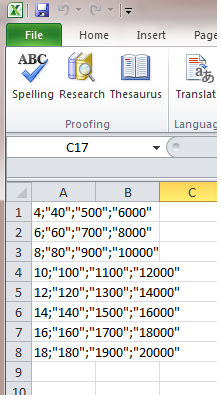
The following shows 8 sets of VARS values stores in SD card's file1.csv:
See attached sample program with this code.
Updates:
Nov 2021: A few of the File functions have been replaced by Function Blocks for added robustness of operation. The original ones will still function. See http://webhelp.kollmorgen.com/kas3.07/Content/11.TechRefs/FileMgt_Functions.htm?tocpath=Technical%20References%7CProgramming%20Languages%7CPLC%20Advanced%20Libraries%7CFile%20Management%7C_____4 for more details.