Home >
 Knowledge Base >
 FAQs >
 Downloads >
Expansion Card DeviceNet
Usable with S300, S600, S700
General
The expansion card can be used with S300, S600 and S700 (Slot 1).
The (DeviceNet) communication profile follows the ODVA standard Position Controller Device profile.
Device description file (EDS) are available from File Selector, set filter document type to "Fieldbus Support".
The matching manual can be found via the File Selector.
The command OPTION delivers a code for the built-in expansion card.
Expansion card
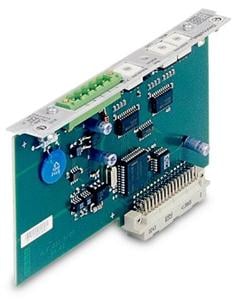
Front cover

LEDs
|
LED "Net Status" is: |
Meaning |
|---|---|
| off |
Device is not online.
|
| green |
The device is operating in a normal condition and the device is online with connections in the established state.
|
| flashing green | The device is operating in a normal condition and the device is online with no connections in the established state.
|
| flashing red |
Recoverable fault and/or one or more I/O Connections are in the |
| red |
|
Setup
Station address
- Set the rotary switches on the front panel of the option card to a value between 0 and 63. Each switch represents one decimal digit. To set the amplifier to address 10, set the MSD (most significant digit) switch to 1 and the LSD (least significant digit) switch to 0.
- Set the rotary switches on the front panel of the expansion card to a value greater than 63. The station address can now be set using the ASCII commands DNMACID x, SAVE, COLDSTART where x is the station address.
- Set the rotary switches on the front panel of the expansion card to a value greater than 63. The station address can now be set through the (DeviceNet) object (class 0x03, attribute 1). This is typically done through a (DeviceNet) commissioning tool. All drive parameters will be saved to the non-volatile memory when the value is set. The amplifier must be restarted after modifying the address.
Baudrate
- Set the rotary baudrate switch on the front panel of the option card to a value between 0 and 2. 0=125kbit/s, 1=250kbit/s, 2=500kbit/s.
- Set the baudrate switch on the front panel of the expansion card to a value greater than 2. The baud rate can now be set using the terminal commands DNBAUD x, SAVE, COLDSTART where x is 125, 250 or 500.
- Set the baudrate switch on the front panel of the expansion card to a value greater than 2. The baud rate can now be set through the (DeviceNet) object (class 0x03, attribute 2) to a value between 0 and 2. This is typically done through a (DeviceNet) commissioning tool. All drive parameters will be saved to the non-volatile memory when the value is set. The amplifier must be restarted after modifying the baud rate.
Basic Features
Setup and general functions
- homing, set reference point
- jogging, with a variable speed
- provision of a digital setpoint for speed and torque control
Positioning functions
- execution of a motion task from the motion block memory of the servo amplifier
- execution of a direct motion task
- absolute trajectory
Data transfer functions
- transmit a motion task to the motion block memory of the servo amplifier
- Transmit a non-motion task to the motion block memory of the servo amplifier
- modify attribute
- wait until parameter = value
- branch if greater than/less than
- decrement counter
- delay
- read a motion task from the motion block memory of the servo amplifier
- read actual values
- read the error register
- read the status register
- read/write configuration and control parameters
- read actual values from analog and digital inputs
- write control values to analog and digital outputs
Documentation
Data sheets for the expansion card can be found via File Selector, set document type filter to "Add On Document".
Back to top