Home >
 Knowledge Base >
 FAQs >
 Downloads >
Proface HMI to AKD BASIC
The following is based on what was learned and worked through phone and WebEx support. The conventions in this application note cannot be guaranteed to work with your hardware model or software version. We cannot supply a sample HMI project.
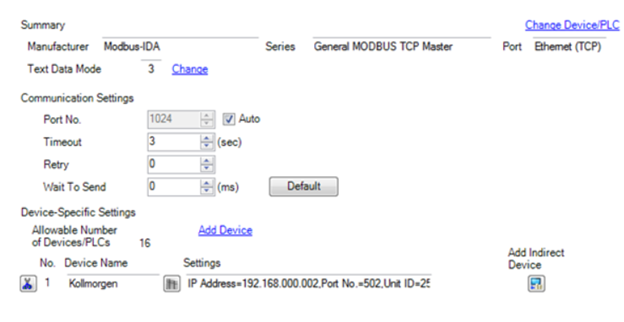
- The General MODBUS TCP Master is selected for the driver and the target AKD IP Address is selected. This will need to match your target drive’s IP address. Port No. 502 is the standard port# for Modbus TCP.
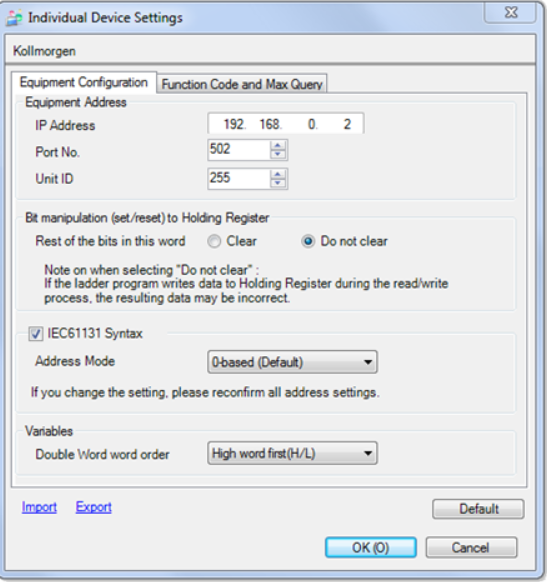
- Under Individual Device Settings the IP address and port number is shown as above.
- The Unit ID is set to 255. It seems this doesn't apply to the AKD and shouldn't matter as the IP Address is what is used for the target AKD drive.
- The AKD’s Modbus Addressing starts at address zero and the word order is High Word first. Therefore in the Individual Device Settings, the Proface can be configured to use the same convention: Address Mode is set to “0-based” and Double Word word order is set to “High word first (H/L)”. This results in direct addressing without the need for additional word swapping or address offsetting. Whether standard or IEC61131 addressing format is used is configured by the checkbox beside IEC61131 Syntax.
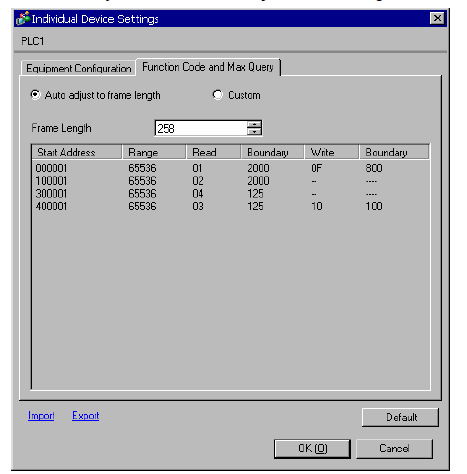
- The Function Code and Max Query Screen is shown with the range of addressing. I don’t know if this is default or user configuration dependent. Note the addressing may be standard or IEC61131 Syntax depending on if you check the checkbox in the Individual Device Settings. The AKD only supports function codes 0x03 ( hex ) for read and 0x10 ( hex ) for write.
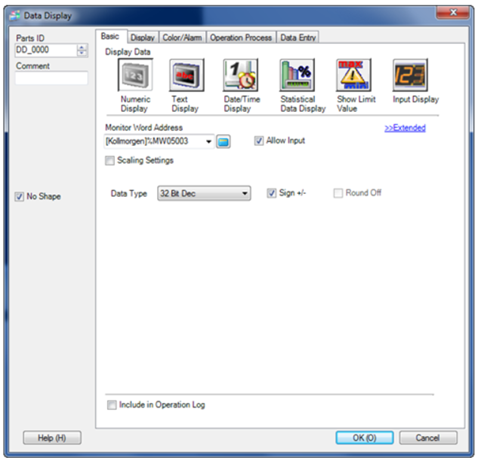
- A Numeric Display was chosen to display ( read ) the AKD BASIC’s program data. The starting 5000 range address was selected and the Data Type was selected as 32 Bit Dec(imal) and the Sign+/- box was checked. Note the address is presented as standard or as IEC61131 depending on your configuration.
- To confirm the HMI can communicate and read the 32 bit data from the AKD BASIC’s drive over Modbus TCP, the following simple program was used. It maps the variable to Modbus address 5003 and dimensions it as a 32 bit signed double word. The variable is initialized to a value large enough to require the double word ( = 1234567 ) and then loops infinitely printing out the program is running. Note that the 5000 range Modbus registers are mapped by the program and do not exist or cease to exist if the program has not mapped them and/or the program is not running. If the program is not running you will get communication errors on your HMI. The HMI should display 1234567 on the screen once the project is compiled and downloaded to the HMI and the AKD BASIC program is running.