Home >
 Knowledge Base >
 FAQs >
 Downloads >
KAS Training Videos - Controller Application Software Development
To help get started developing an application with the controllers, training videos are now available on the KAS-IDE (Integrated Development Environment).
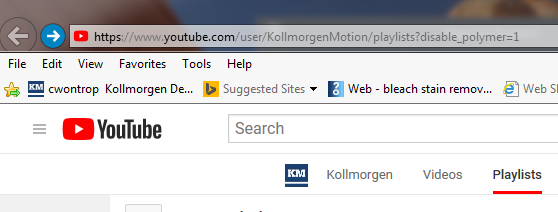
They are located in Kollmorgen's YouTube website under the Playlist section:
KAS Online Learning Collection on Kollmorgen YouTube
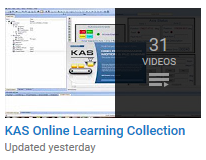
A partial listing of the videos is as follows (with direct links):
| Name | Description | Link |
|---|---|---|
| New Project Templates | How to open template programs built into the KAS IDE software and run them on our Simulation software and physical controller hardware | |
| Dictionary Part 1 - Creating Variables | How to create variables in the project Dictionary | |
| Dictionary Part 2 -Data Types | Data Types available in the IDE Dictionary | |
| Dictionary Part 3- Instance of PLC functions | How to create function block instances in the Dictionary for PLCopen function blocks | |
| Dictionary Part 4 - Library functions | The internal library function blocks used for specific functions such as the high speed trigger setup and axis definition | |
| Function Block Library | Introduces the KAS IDE Function Block Library used in a KAS project | |
| Control Panel | Introduces the built-in Control Panel in the KAS IDE software used during application development | |
| Function Block and Control Panel – Adding new motion functions (was called Adding MC_Phasing….) | Example of adding a function block and control panel functionality to an application | |
| Axis Configuration – PLCopen Motion | Shows the steps to create a new PLCopen motion axis in the KAS IDE | |
| Editing Tools - Find Function | Shows how the Find tool is used in the IDE Editor to locate usages of individual variables in a project | |
| Online Tools - Watch Window | Using the Watch Window to create a user defined set of variables in a dedicated window for ease of monitoring and changing | |
| Online Tools - Oscilloscope | Introduces the IDE 8 channel scope that can be used to help develop programs | |
| Online Tools - Break Points | Introduces use of Breakpoints during program development to stop program execution at specific points in the program | |
| Online Tools - Online Change | Demonstrates using the Online change tool that allows code to be modified on the fly without stopping program execution | |
| Dictionary Part 5 - Arrays | Demonstrates use of data arrays in a project | |
| Dictionary Part 6 - Structures | Demonstrates use of data structures in a project | |
| Dictionary Part 7 - Subprograms | Demonstrates use of sub-programs or UDFBs in a project | |
| AKD Workbench Drive Configuration – Project Run Mode | When a .kas program is running, demonstrates how to use the embedded Workbench inside the IDE to access AKD servo drive parameters | |
| AKD Workbench Drive Configuration –Online Configuration Mode | Demonstrates using the embedded WorkBench when a project is not running to tune motors, check feedback, change drive FW and perform other operations | |
| Web Server | Demonstrates features of the KAS web server usable during project development and machine operation including running a project, changing PxMM firmware, storing operational data, configuring a system through the SD card and getting current diagnosis information | |
| ST Editor - Part 1 | Introduction of KAS ST (Structured Text) Editor including basic syntax rules, available functions, program execution, commenting, conditional statements, and shortcut keys | |
| ST Editor - Part 2 | Demonstrates using PLCopen Motion in the KAS ST (Structured Text) Editor including dragging in function blocks, reading function block outputs, and working with the Execute input. | |
| FFLD Editor – Part 1 | Introduction of KAS FFLD (Free Form Ladder Diagram) Editor - including how to organize code into separate networks, options to add comments, and how to add different types of contacts and coils | |
| FFLD Editor – Part 2 | Demonstrates adding function blocks and defining their inputs and outputs, drag and drop, difference between functions and function blocks, and use of the watch window | |
| FFLD Editor - Part 3 | Demonstrates adding jumps, explaining what makes the ladder editor "Free Form" including having structured text based code with a contacts, and math expressions as inputs to function blocks. | |
| Third Party ECAT Devices | Demonstrates how to integrate 3rd party EtherCAT devices into a Ethercat system with a PDMM or PCMM controller | |
| Camming | Demonstrates how to create a cam profile and add camming function blocks to your PLC code to start a master/slave cam relationship between two axis | |
| Dictionary Part 8 - ENUMS and Bit Fields | Demonstrates using ENUMs and Bit Fields to organize variables and data in compact data configurations | |
| Dictionary Part 9 - Compiling data and Program Startup | Explains several items in the project Dictionary such as the Ethercat and PLCopen configurations | |
| Dictionary Part 10 -Editing Variables as text | Demonstrates a fast method to add and delete variables in the Dictionary |