Home >
 Knowledge Base >
 FAQs >
 Downloads >
How to Convert a KVB Project to an iX Project
HMI projects for obsolete AKI panels developed with Kollmorgen Visualization Builder (KVB) can be converted to iX projects for use with Beijer HMI panels. This allows users to continue using the same projects they developed and not have to re-create them from scratch.
There are two tasks to complete: Converting the project from a KVB project to an iX project and migrating the Modbus tags to iX.
Converting the Project
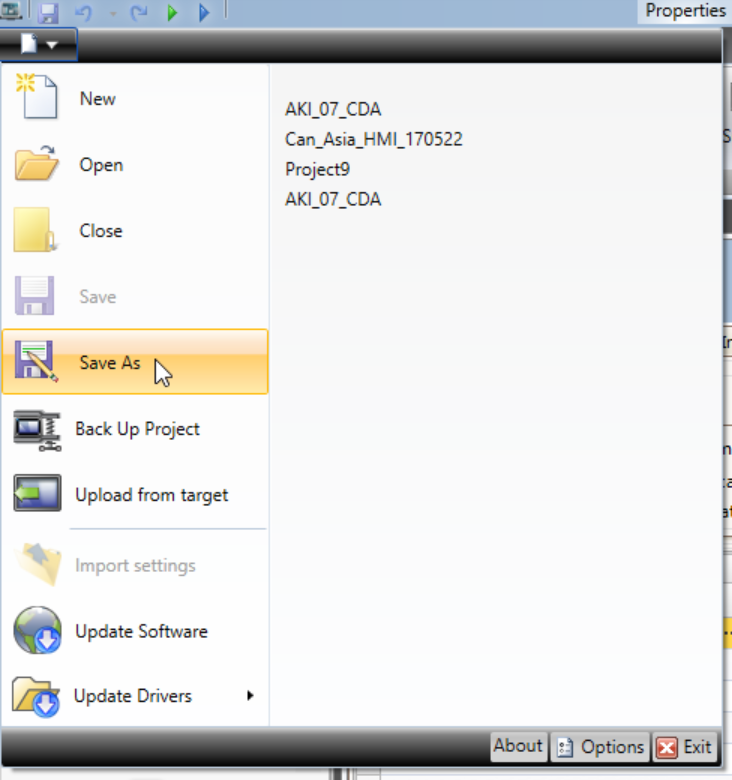
- Open the project in KVB and do a Save As to save it to a known location on your computer. This will create a folder with the same name as the project with all required files.
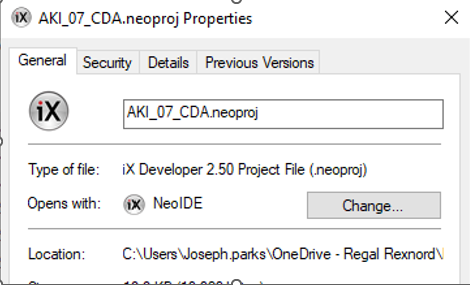
- Change the file extension/type from .kvb2 to .neoproj. This is done on one file in the folder that the KVB project is saved in and will be the same name as the name of the project and file. This is pretty straightforward but afterwards you still get an error if you try to open the project in iX.
- Open the "Terminal.xml" file then find and change the parameter FilePath="AKI2GCDAMOD07T.xml" to FilePath="X2base5v2.xml" or another valid Beijer part number (the AKI part numbers are not recognized by iX software).

- Open the .neoproj file and change CurrentTargetPlatformVersion from CE6 to CE8.
You can now open the project in iX software.
Import Modbus Tags from KAS IDE to iX
- Access the "HMI Variable Import File.txt" to import into iX software. This file is updated by the KAS IDE with all the variables with checkmarks in the KVB column each time you compile. Modbus addresses are created for all these variables. They are automatically imported in KVB software when opened from the KAS IDE project, but must be manually imported with the iX software. There are two ways to access this file.
Option 1: Open .kas project with a file compression program (like 7-zip in screenshot below.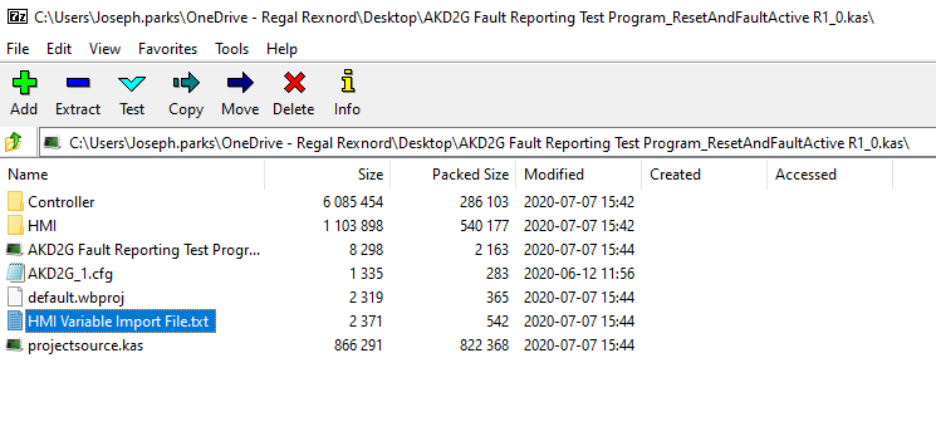 Option 2: While project is open in the KAS IDE software, can find the content uncompressed in a temporary folder on your computer. With Windows 10 it is located at C:\Users\[user name]\AppData\Local\Kollmorgen\KAS\IDE_Instances\[instance #]\Project.
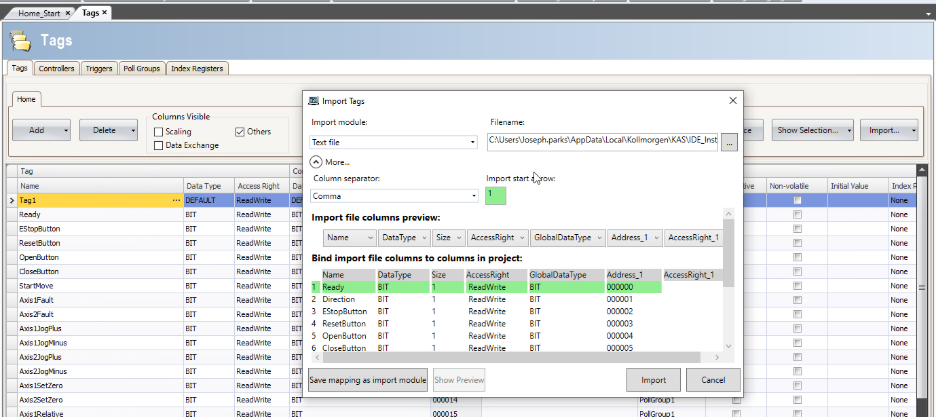
Note that the path includes your user name and a randomly generated instance number of the KAS IDE software. There can be multiple options if you have more than one KAS IDE instance open or none if the KAS IDE is closed or does not have an open project. - Go to Tags screen of iX software and press the Import button. Select "HMI Variable Import File.txt" from popup screen shown below to import all the variables and addresses that the KAS IDE created.