Home >
 Knowledge Base >
 FAQs >
 Downloads >
Creating a Motion Task S-Curve Profile Table in the AKD
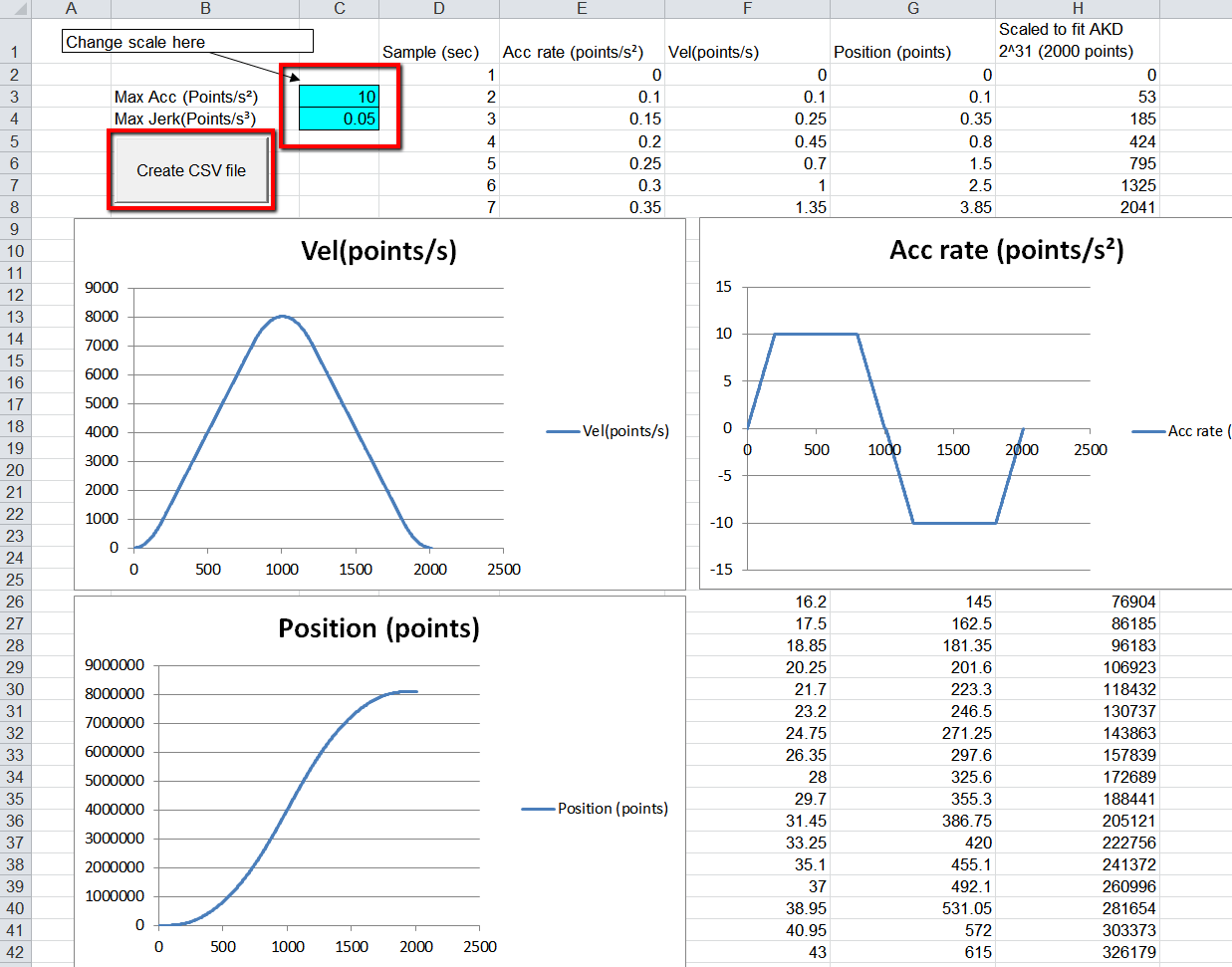
Use the Excel file titled “AKD S-CURVE GENERATOR TWO.xls” (see attachment) to generate a csv file with the profile data.
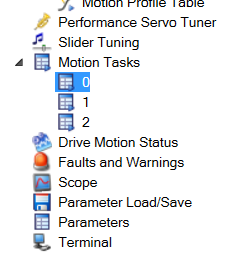
Select a Motion Task from the navigation menu. (Note that double-clicking on the task from the Motion Task Table will not take you to the same screen.)
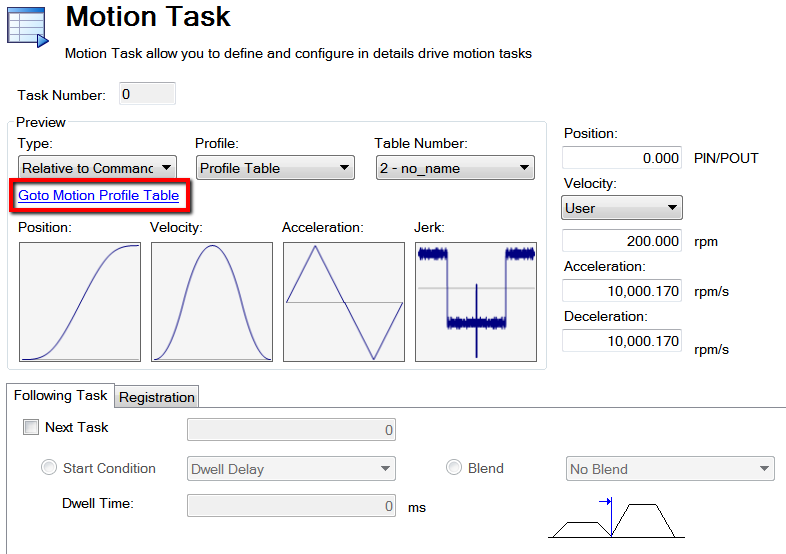
In a motion task edit screen, click the link “Goto Motion Profile Table.”
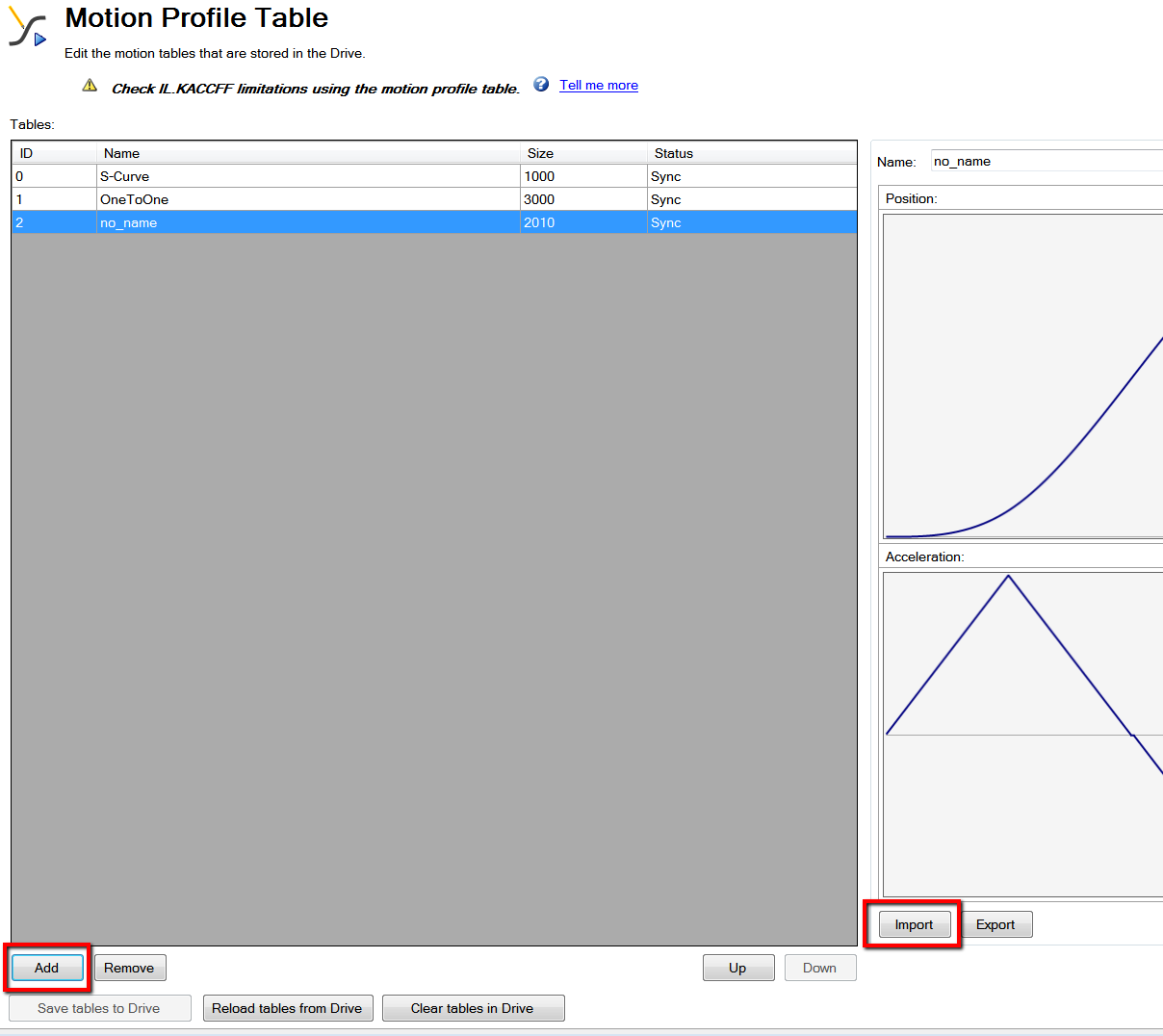
Add a new profile table. Then import the csv file into that new table. Save the tables to the drive.
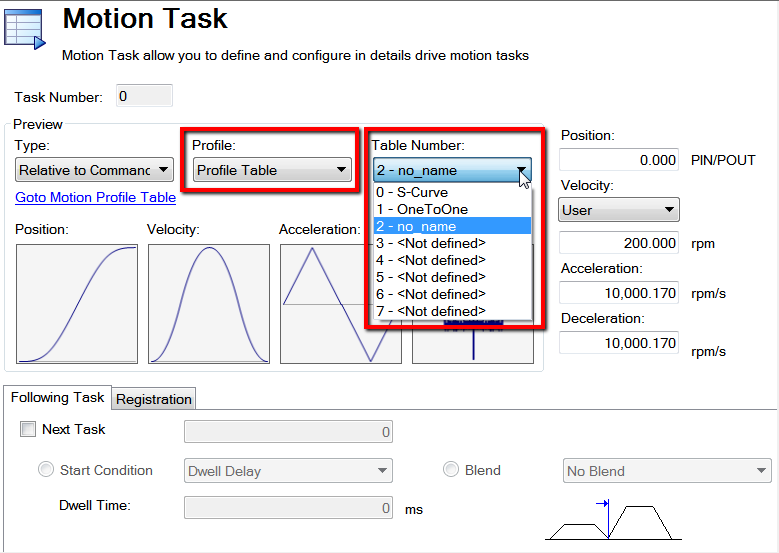
Back in the motion task edit screen, select “Profile Table” and select the “Table Number” for the profile that you just created.