Questions & Answers

The below represents frequent questions our support, engineering and sales teams have been asked over the years. If you have a question, please submit our contact us form to reach our application engineering team.

Are there differences in the motor databases of S300/S700 and S400/S600? [ S300 ], [ S700 ]

Yes. In the S300/S700 motor database (MDB) there isn't a single dataset per power stage and feedback. The parameter values are calculated depending on the set FBTYPE out of the same rough data. Criteria for a valid motor for the power stage is now:

0.25 * DICONT <= MICONT <= 4 * DICONT. 

The motor databases for S400/S600 cannot be used with S300/S700.

Why does n32 flash in the display? [ S300 ], [ S400 ], [ S600 ], [ S700 ]

The firmware of the amplifier is a beta version (not released). Refer to page LED Display Codes.

What is the maximum number of motion tasks that S300 can handle? [ S300 ]

200 Flash motion tasks that can be saved in the device permanently, (number 1 to 200). 100 RAM motion tasks starting at number 201.

Creating Bookmarks, Subscribing, and Sharing content

This article discusses how to create bookmarks, subscribe to content, and share content.

Note: To perform any of these actions you must be a registered user and signed-in.

Creating Bookmarks

Adding bookmarks to your personal library is easy and a great way to manage frequently accessed knowledge base content. You can bookmark all articles within the knowledge base except for product pages and product sub-pages. This functionality is expected soon.

Perform the following procedure to add a bookmark to your library.

  1. Select an article within the knowledge base to bookmark. Example: Commissioning AKD.
  2. Select the Bookmark this button to create bookmark link in the right-hand navigation.
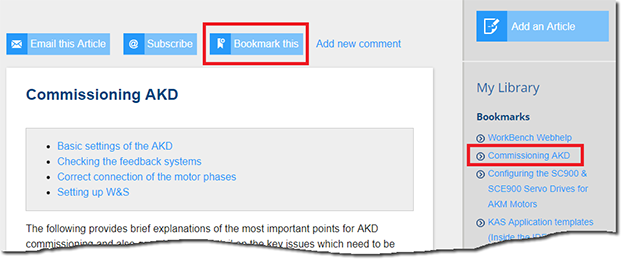
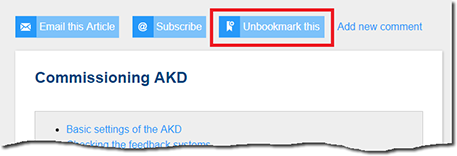
  3. To remove a bookmark from your list, select the Unbookmark this button.
Subscribing to Content

Subscribing to content is a great way to stay up to date on specific topics such as product changes and technologies. This feature allows you to receive a notification when content is updated. Again, this feature is only available for articles.

Perform the following procedure to subscribe to content.

  1. Select an article within the knowledge base to subscribe. Example: EtherCAT Bus topic.
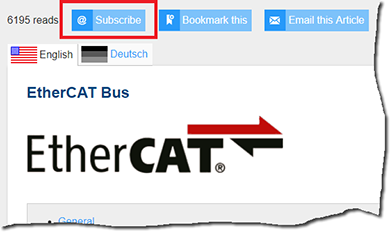
  2. Select the Subscribe button to receive content notification updates.
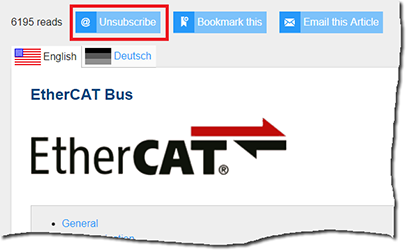
  3. Select the Unsubscribe button to stop receiving content notification updates.
Sharing Content

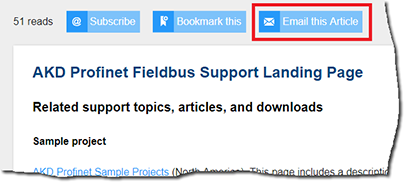
Using the Email this Article button makes sharing content easy and is useful to pointing others to a specific topic such as a support landing page, procedures, or applications notes. At this time this feature is only available for articles.

Perform the following procedure to share content with others.

  1. Select an article within the knowledge base to share. Example: AKD Profinet Fieldbus Support Landing Page
  2. Select the Email this Article button.
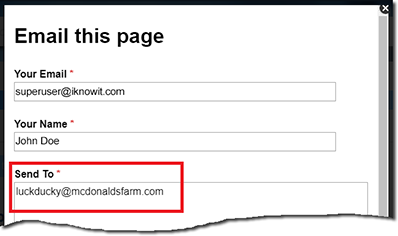
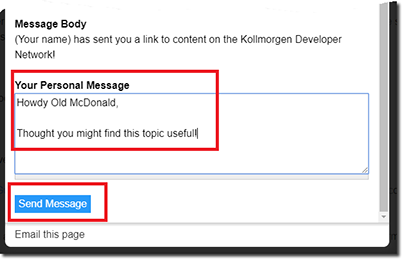
  3. In the Send To field enter as many email addresses as desired separated by commas.
  4. If desired add a message in the Personal Message field and select Send Message to email.
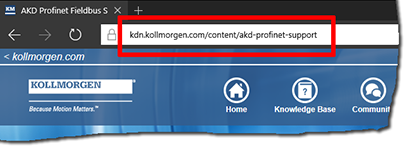
  5. Alternatively, you can copy the URL for any page and use your native email application to distribute.
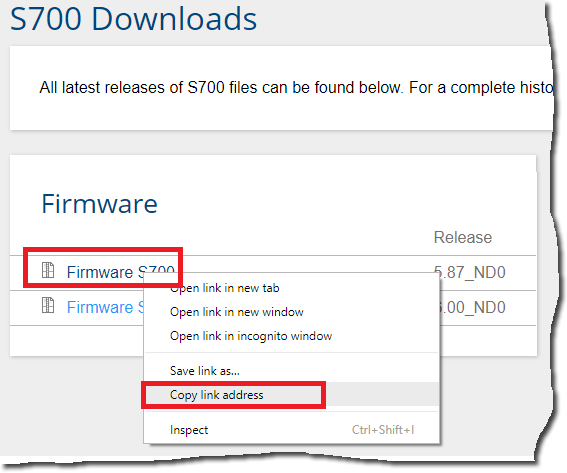
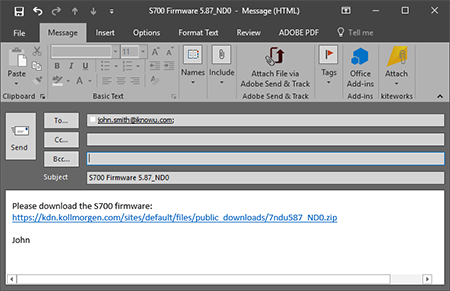
  6. For downloads, right-click on any link and select Copy link address. You can then paste in your native email application to distribute.

    Example:
Back to top

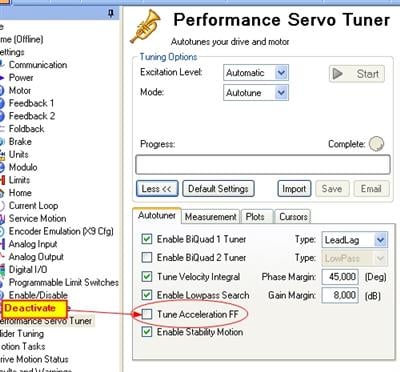
Nach ausgeführtem Autotuning läuft meine Achse sehr rau und laut. Was muss ich tun? [ AKD ], [ AKD BASIC ], [ AKD PDMM ], [ AKD-C & AKD-N ], [ AKD2G ]

Sie haben eine Anwendung, bei der das Tuning der Stromvorsteuerung zu unerwarteten Ergebnissen führt. Deaktivieren Sie im Autotuning Fenster der Workbench den Punkt "Tuning Beschleunigungs-Vorsteuerung" und starten Sie das Autotuning neu.

image

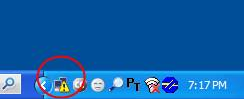
Warum meldet mein PC: "Eingeschränkte oder keine Konnektivität verfügbar" für die Verbindung zum AKD und zeigt ein Warnsymbol? [ AKD ], [ AKD BASIC ], [ AKD PDMM ], [ AKD-C & AKD-N ], [ AKD2G ]

Obwohl Windows diese Meldung anzeigt und das Warnsymbol erscheint, kann Ihr PC vollständig mit dem AKD kommunizieren. Diese Meldung ist normal für eine Verbindung zum AKD.

image

Wie kann ich die Kommunikation mit dem AKD wiederherstellen, wenn die IP Adresse des AKD 0.0.0.0 ist? [ AKD ], [ AKD BASIC ], [ AKD PDMM ], [ AKD-C & AKD-N ], [ AKD2G ]

Prüfen Sie die LED am RL45 Stecker. Wenn diese nicht leuchtet, ist keine Kommunikation möglich. Mögliche Gründe für den Abbruch der Kommunikation sind z.B.:

  • Netzwerkkabel nicht angeschlossen.
  • Ein Verdrahtungsproblem zwischen AKD und Switch/Hub.
  • Spannungsversorgung an Switch/Hub fehlt.

Wenn die LED leuchtet und die AKD IP Adresse 0.0.0.0 ist, hat die AKD Hardware keine gültige Verbindung gefunden. In diesem Fall kontaktieren Sie bitte den Kollmorgen Kundenservice.

Wie kann ich Parameter Informationen in den Workbench Fenstern sichtbar machen? [ AKD ], [ AKD BASIC ], [ AKD PDMM ], [ AKD-C & AKD-N ], [ AKD2G ]

Drei Möglichkeiten:

  1. Klicken mit der rechten Maustaste auf eine Textbox und aus dem Menü "Parameter Informationen" auswählen.
  2. Drücken der Funktionstaste F1 öffnet die zugehörige Seite des Hilfesystems.
  3. Klicken Sie auf den Link "Tell me more about this topic" (auf jeder Seite oben)
Warum ist die Hintergundfarbe einiger Workbench Fenster grau? [ AKD ], [ AKD BASIC ], [ AKD PDMM ], [ AKD-C & AKD-N ], [ AKD2G ]

Sie benutzen das WINDOWS Design "Classic". Um einen weißen Hintergund zu erhalten, wählen zu z.B. das WINDOWS "XP" Design.

Wie lange dauert es, bis die I2t Überwachung sich vollständig erholt hat? [ AKD ], [ AKD BASIC ], [ AKD PDMM ], [ AKD-C & AKD-N ], [ AKD2G ]

Bis zu 500s. Hängt ab von der aktuellen Strombelastung. Siehe auch Seite Foldback Times.

Wie lange kann ein AKD einen Strom größer als Dauerstrom liefern, bevor die I2t Überwachung anspricht? [ AKD ], [ AKD BASIC ], [ AKD PDMM ], [ AKD-C & AKD-N ], [ AKD2G ]

Ipeak kann 5s lang geliefert werden, kleinere Ströme auch länger. Siehe dazu Seite Foldback Times.

Was bedeutet im Zusammenhang mit einem Hiperface-Geber die Meldung "ERR unknown field definition ERR encoder type"? Der Encoder-Typ wird korrekt angezeigt.

Dieser Geber ist noch nie mit einem unserer Servoverstärker betrieben worden. Mit dem Befehl HSAVE ERASE muss der Anwender-Speicherbereich? formatiert werden.

What does the message "ERR unknown field definition ERR encoder type" mean in connection with a Hiperface encoder? The encoder type is displayed correctly.

This encoder has never been operated with any of our servo drives. The HSAVE ERASE command requires the user memory to be formatted.

Warum misst mein ENDAT Geber falsch oder verliert Position?

Wird ein Geber mit mehr als 25Bit verwendet?

Eventuell unterstützt die Firmware des Servoverstärkers den Geber nicht:

S400: Version 7.xx verwenden
S600: Version 6.xx verwenden

Nach einem Motorwechsel kann der S600 den EnDat Geber nicht einlesen. Die Anlage stammt aus 2004

Der alte Motor hatte einen EnDat Geber mit kleinerem Speicher. Heidenhain änderte 2005 den Speicherbereich (siehe FAQ Feedback). 

EnDat Geber mit erweitertem Speicherbereich können mit allen S300/S700 Verstärkern und mit S400/S600 Verstärkern ab Firmwareversion 4.94 ausgewertet werden. 

Falls Anwendungen mit Firmwareversionen kleiner als 4.94 verwendet werden, kann auf die Version 3.67 (Downloads) umgestellt werden, die EnDat Geber mit erweitertem Speicherbereich berücksichtigt.

Ab welcher Firmware Version können BISS Geber ausgewertet werden?

S300/S700: ab 3.00
S400/S600: ab 6.68 (nicht 7.xx)

Welche ENDAT Protokolle können verarbeitet werden?

S300: 2.1
S400: 2.1
S600: 2.1
S700: 2.1 und 2.2

Alle Verstärker können 2.2 Protokolle im Kompatibilitätsmodus 2.1 verarbeiten.

Wie hoch ist die Schlag- und Schockresistenz von Encodern und Resolvern, die in AKM Motoren verbaut sind?

In den AKM Motoren werden Resolver des Herstellers Harowe eingesetzt. Harowe gibt für Vibration 10G (98m/s2) und als Schockresistenz 50G(490m/s2) an.

Für die Encoder Baureihe von der Firma Heidenhain (ECI/EQI 11xx, 13xx und ECN/EQN 11xx, 13xx) wird entsprechend IEC 60068-2-27 ein max. Schockresistenz von 102G (1000m/s2) für 6s angegeben.

Mit welcher Auflösung wird ein Resolver ausgewertet?

14 Bit. Die rechnerische Auflösung im Lageregler beträgt 20 Bit.

Wie groß ist die Auflösung der SIN-COS – Spur bei EnDat Encodern?

11 Bit. Dies setzt sich aus 2Bit für Signalvervierfachung und 8 Bit Signalauflösung + 1 Bit Vorzeichen zusammen. Die Signale werden intern mit 12 Bit aufgelöst jedoch nur 8 Bit weiterverarbeitet.